Google Sites
Introduction
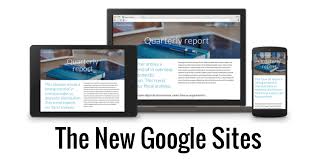
Google Sites is a web-based platform that allows users to create simple websites without needing extensive technical knowledge. It offers an intuitive drag-and-drop interface, it’s completely free and secure. It’s a perfect solution for simple website.
Disadvantages are that Google Sites offers a limited range of templates and design options compared to more advanced website builders. Advanced functionalities (like e-commerce capabilities, custom scripts, or extensive plugins) are not available in Google Sites, making it less suitable for more complex websites.
To start your website with Google Sites, you must have a Google account.
Tutorial Google Sites
Once you are in your google account, just enter this link in your browser.
https://sites.google.com/
The site is completely free and you can use the free domain of google. It will be composed of
sites.google.com/view/your_business.
You can buy your own domain with a provider and follow the instruction for attaching a custom domain.
Custom Domain
Attaching a domain to your Google Sites allows you to create a professional online presence with a custom URL. Here’s a brief guide to help you get started.
You might need the help of the advisor to complete this part. It might be difficult to understand how to attach with the domain provider, each provider having his own method.
Analytics
Google Analytics is a web analytics service that tracks and reports website traffic, providing insights into user behavior to help businesses optimize their online presence.
The video covers the steps needed to create a Google Analytics account, obtain the tracking ID, and successfully integrate it into a Google Sites project.
Once you are in your google account, just enter this link in your browser.
https://analytics.google.com/